Posts

Showing posts with the label Stable Diffusion

AI繪圖筆記 安裝完基本的模型後 如何藉由套用客製化LoRA 幫上原亞衣穿上婚紗

Image
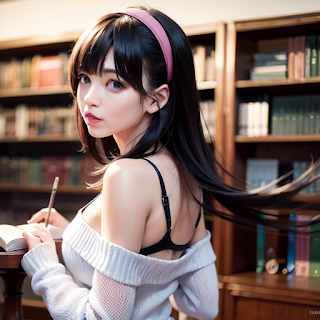
接續前面的AI繪圖筆記 從第一篇 如何藉由Google Colab 快速安裝環境開始,再來介紹了用文字描述產生圖的方式。接著要來做的就是該如何客製化 !! AI繪圖筆記 藉由Google Colab 來安裝Stable Diffusion 玩AI繪圖 AI繪圖筆記 使用ChatGPT 協助產生Stable Diffusion 正向提示詞Positive Prompt AI繪圖筆記 Stable Diffusion AI繪圖 萬用負面關鍵字Negative Prompt 收集 在之前的文章中 正向提示詞Positive Prompt範例: /在圖書館看書的女孩 1girl, solo, digital painting, sitting, glasses, book, library, long hair, brown hair, loose hair, hair between eyes, peaceful expression, casual clothing, indoor, shelves, table, chair, natural light, calm atmosphere, bookish, (8k, RAW photo, photorealistic:1.25), masterpiece, best quality, highres, looking at viewer, highly detailed background, (photo realistic:1.2), (MASTERPIECE), (ULTRA DETAILED), (PHOTO-REALISTIC), SHARP, HDR 套用上原亞衣的LoRA之後的結果: 搭配RION 的LoRA的結果: 同樣的提示詞,可以藉由套用客製化的LoRA來做微調。 這個過程可以想成藉由客製化模型(LoRA)搭配客製化的提示詞如上原亞衣及RION 就讓原本的圖書館女孩做了改變。 如何製作這個客製化模型(LoRA) 會需要再開一篇文章。這一篇文章主要介紹LORA怎麼使用。 可以跟著這些文章一步一步完成: 上原亞衣AI繪圖模型LoRA 免費用,教你製作日本女優參賽圖 【教學】AI 繪圖上原亞衣官方 AI LoRA 模型 Step by Step 學懂製作女優圖片參賽 Civitai 上原亞衣LORA A...


AI繪圖筆記 藉由Google Colab 來安裝Stable Diffusion 玩AI繪圖

Image
想要用線上資源來玩AI繪圖,可以按照以下步驟: 1. 從好心人整理的各種model 下載及安裝script  推薦github網址  https://github.com/camenduru/stable-diffusion-webui-colab   選擇自己想要安裝的model 點左邊按鈕會打開Colab model的選擇可以到 Civitai  這個網站搜尋。 目前討論度很高的是 ChilloutMix 用關鍵字ChilloutMix也可以查詢到很多教學文 2. 在Colab 建立副本雲端硬碟後 一鍵執行安裝 Colab畫面: 安裝過程中最後會出現對應的Public WebUI Colab URL,就會打開另一個網頁出現Stable Diffustion Web UI 就完成了 畫面左上角會顯示Stable Diffustion checkpoint 目前使用的model。 關於Colab 安裝Stable Diffustion  Youtube上相關討論影片: 不用買顯卡 也能跑Stable Diffusion?!|Colab+Stable Diffusion 免費進行AI繪圖計算【stable-diffusion-webui-colab】 接下吧!!這是我最後的安裝Stable Diffusion中文網頁介面,Google colab線上運行!! 剛加入的玩家,看到很多名詞建議可以從這一部影片了解: 關於Stable Diffusion你應該要知道的所有基礎知識,我把它們都放在這裡了!!! 更多Stable Diffustion AI繪圖 討論文章: 環境安裝  藉由Google Colab 來安裝Stable Diffusion 玩AI繪圖 基本功能txt2img  AI繪圖筆記 使用ChatGPT 協助產生Stable Diffusion 正向提示詞Positive Prompt 基本功能txt2img  Stable Diffusion AI繪圖 萬用負面關鍵字Negative Prompt

AI繪圖筆記 Stable Diffusion AI繪圖 萬用負面關鍵字Negative Prompt

Image
正向關鍵字(prompt)告訴AI要畫哪些東西,負向關鍵字則是不要畫哪些東西。 萬用負向關鍵字(negative prompt),加入大量的負向關鍵字能防止畫出斷手斷腳的圖: 之前收集了一串 萬用負向關鍵字(negative prompt): (((deformed))), blurry, bad anatomy, disfigured, poorly drawn face, mutation, mutated, (extra_limb), (ugly), (poorly drawn hands), fused fingers, messy drawing, broken legs censor, censored, censor_bar, multiple breasts, (mutated hands and fingers:1.5), (long body :1.3), (mutation, poorly drawn :1.2), black-white, bad anatomy, liquid body, liquidtongue, disfigured, malformed, mutated, anatomical nonsense, text font ui, error, malformed hands, long neck, blurred, lowers, low res, bad anatomy, bad proportions, bad shadow, uncoordinated body, unnatural body, fused breasts, bad breasts, huge breasts, poorly drawn breasts, extra breasts, liquid breasts, heavy breasts, missingbreasts, huge haunch, huge thighs, huge calf, bad hands, fused hand, missing hand, disappearing arms, disappearing thigh, disappearing calf, disappearing legs, fusedears, bad ears, poorly drawn ears...

AI繪圖筆記 使用ChatGPT 協助產生Stable Diffusion 正向提示詞Positive Prompt

Image
Stable Diffusion 提示詞是指用來描述所需生成圖像的文字,例如 “1girl”、”1boy” 等,AI 會根據這些描述生成相應的圖片。Stable Diffusion 提示詞又稱為關鍵詞、提示、咒語;簡單說就是用來跟Stable Diffusion溝通的方式。 但如何將中文描述的風格轉為提示詞?可以讓火紅的ChatGPT來幫助。 例如輸入以下要求: 我在使用一個名為 Stable Diffusion 的 AI 繪圖工具。指定你成為 Stable Diffusion 的提示生成器。接著我會在想要生成的主題前添加斜線(/)。 你將在不同情況下用英文生成合適的提示。例如,如果我輸入 /一個亞洲女孩 在草地上 的美麗形象 ,您將生成prompt用以下的格式: 1girl, solo, asia, sitting, an extremely delicate and beautiful, beautiful detailed sky, beautiful detailed eye, side blunt bangs, hairs between eyes, close to viewer, breeze,flying splashes,flying petals, wind, grass The prompt requires the following elements.  (1) Words to describe the method of depiction, such as digital painting, oil painting, realistic 8k. (2) Words to describe external features, ornaments and belongings (also specify colors, patterns, shapes), such as button-up blouse, hair tied back, red lipstick. (3) Words to describe age, body type, hair color, hairstyle, hair length, hair accessory, eye color, eye shape, facial ex...

Stable Diffusion webUI 安裝教學 用筆電進行AI繪圖

多數 AI 繪圖網站都有免費產出限制,要大量產出就要付費。但因為人工智慧還在蓬勃發展,有許多開源的分享,可以從GitHub上找到對應的模組來做安裝,這樣就可以用自己的電腦進行AI繪圖。  Stable Diffusion webUI 安裝教學 確認硬體設備 安裝Git 安裝Python 下載Stable Diffusion webUI  設定Stable Diffusion webUI  硬體設備: 使用 Windows 10 以上作業系統,建議使用 NVIDIA 顯卡記憶體容量 4GB 以上。 安裝Git: Git作為版本控制的工具,Git官方下載連結: https://git-scm.com/download/win 安裝Python: 方便好用的Python,有些AI開源模組還會提供 jupyter notebook讓想嘗試修改/調整/重新訓練model 的使用者更方便。Python官方下載連結: https://www.python.org/downloads/windows/ 下載Stable Diffusion webUI : GitHub連結: https://github.com/AUTOMATIC1111/stable-diffusion-webui 下載指令: git clone https://github.com/AUTOMATIC1111/stable-diffusion-webui.git 安裝目錄 stable-diffusion-webui  下載與安裝設定檔 webui-user.bat 安裝完成最後會出現webUI link,就可以在瀏覽器上打開Stable Diffusion webUI  Running on local URL: http://127.0.0.1:7860   其他參考文件: https://github.com/AUTOMATIC1111/stable-diffusion-webui/wiki/Troubleshooting stable-diffusion-webui-localization-zh_TW

搜尋

Agoda

熱門文章

[社會觀察] 一生順遂與命途乖舛

新鮮人找工作:職場名詞解釋 AE FAE Pre-sales Post-sales

日本旅行 去東京可以在哪邊買羽球相關用品?WEMBLEY/WINDSOR/梭家/Victoria/Alpen TOKYO/

中華民國2024 總統、副總統選舉公告發布 連署參選門檻28萬9667人 可以推薦候選人的政黨包括民進黨、國民黨、民眾黨和時力

什麼是 OTA ?

[FAANG面試] 如何準備Google Technical Program Manager (TPM) 面試

[HMD Global] Nokia 2020 新手機發布 首款 5G 手機 Nokia 8.3 預計夏季開賣 !

關於中國:202X年

[表特][Passion Sisters] 中信兄弟PS女孩 浮誇甜心 凱蒂 炸裂全場~ 小許瑋甯

[音樂] 霖霖 新單曲:給你了